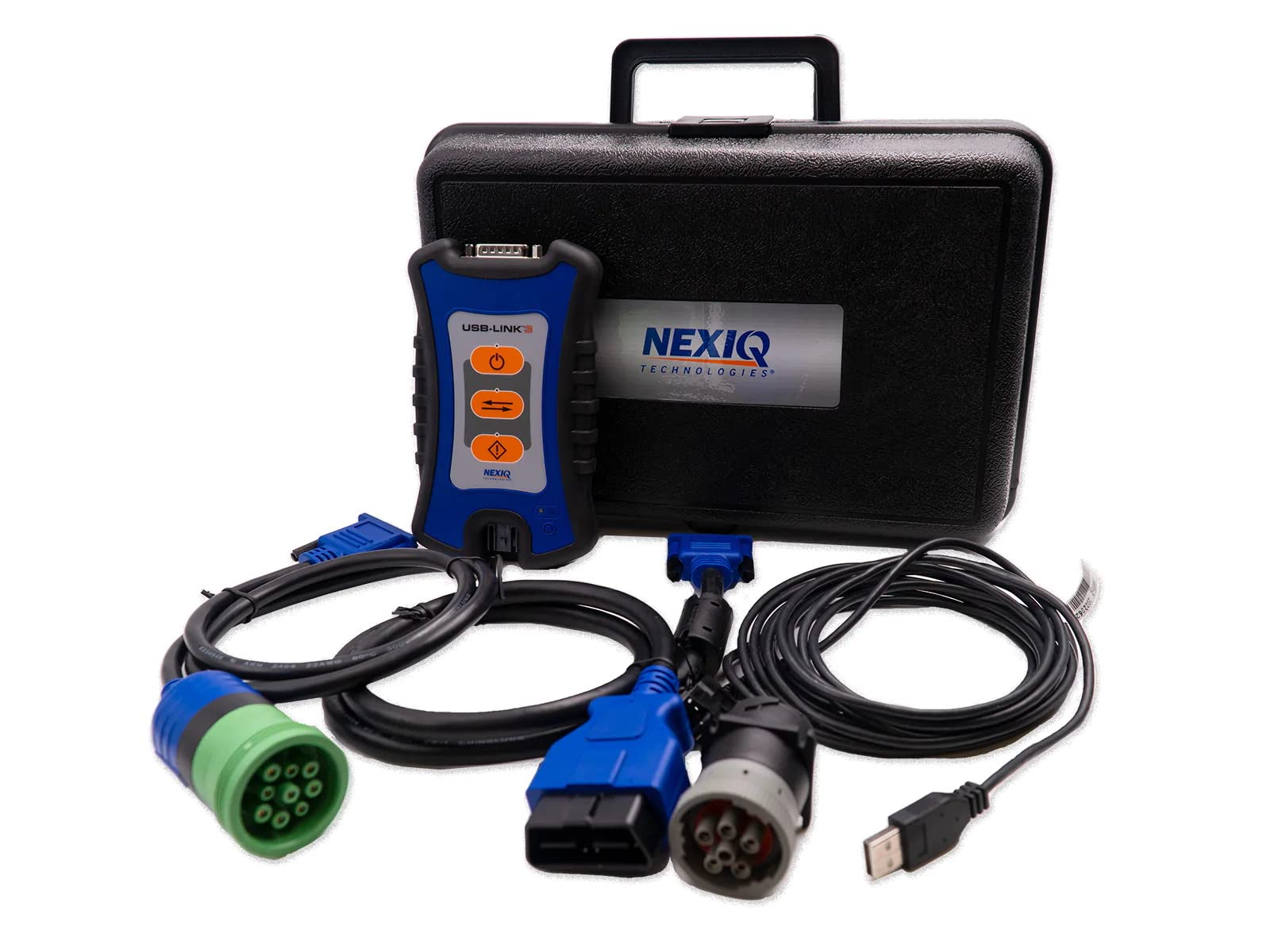
NEXIQ 3 Bluetooth Truck Scanner Review & Complete Fleet Diagnostic Guide

NEXIQ 3 Bluetooth Scanner & Diagnostic Tool for Trucks: In-Depth Review
What is the NEXIQ 3 Bluetooth Scanner and Why Every Technician Should Own One
The NEXIQ 3 Bluetooth Scanner is a cutting-edge diagnostic interface specifically engineered for heavy-duty trucks, buses, and industrial machinery. It helps professionals troubleshoot, diagnose, and repair vehicle systems faster and more accurately.
It's the perfect upgrade from older models like NEXIQ USB-Link 2 — now featuring both Bluetooth and USB options. Whether you're servicing in the garage or out in the field, this device ensures stable connectivity with OEM-grade software from top brands including Cummins, Volvo, Mack, and others.
When paired with diagnostic suites like Cummins Insite or CAT ET, the NEXIQ 3 Bluetooth Scanner becomes your go-to tool for reading and clearing codes, reprogramming ECUs, monitoring real-time data, and more.
Key Features at a Glance
- Dual Connectivity: Seamlessly switch between Bluetooth and USB
- Broad OEM software compatibility (Insite, PTT, DDDL, CAT ET, Allison DOC, etc.)
- Multi-system diagnostics: engines, transmissions, ABS, emissions
- Durable build designed for both shop and roadside conditions
- Real-time data logging, freeze frame, and fault memory access
- Plug-and-play interface with minimal setup time
Compatibility Overview
This robust diagnostic tool supports:
- Engine systems: Cummins, CAT, Detroit Diesel, Hino, Isuzu
- Transmission systems: Allison, Eaton
- Brake and safety systems: Bendix, WABCO
- OEM programs: Detroit DDDL, CAT ET, Volvo/Mack PTT
Included Software Versions
| Software | Version | System |
|---|---|---|
| Cummins Insite | 7.5 | Engines |
| Detroit DDDL | 7.05 | ECM / ABS |
| CAT ET | 2020A | Engine & Emission |
| Volvo PTT | 2.7 | Volvo / Mack |
| Allison DOC | Latest | Transmission |
Easy Installation & Setup Guide
System Requirements:
- Windows 7/10/11 (32-bit or 64-bit)
- Minimum 2GB RAM (4GB+ recommended)
- USB 2.0 port or Bluetooth 4.0 adapter
- At least 500MB of free disk space
Expert Tips for Smooth Setup:
- Temporarily disable antivirus before running installers
- Use the CD or official link for driver installation
- Always follow the included installation PDF/manual
- Keep your Bluetooth drivers updated for optimal performance
Real-World Use Cases from the Field
Technicians around the world rely on NEXIQ 3 Bluetooth Scanner daily. Picture yourself diagnosing a Freightliner Cascadia via Bluetooth during a roadside emergency or quickly resolving a DEF derate issue on a Cummins ISX engine in the shop.
Related Tools You Might Love
- P0400 Code: EGR Flow Malfunction Causes, Symptoms & Fixes
- P2015 Fault Code in VAG Vehicles: Causes, Diagnosis, and Best Solutions
- 3 Easy Ways to Test Car Alternator at Home
Ready to Upgrade Your Workshop?
The NEXIQ 3 Bluetooth Scanner Diagnostic Tool is not just another scanner — it's a powerful, technician-approved device that brings shop-level diagnostics to your laptop.
Buy the NEXIQ 3 NowTroubleshooting & Ongoing Support
Having trouble with setup or software? Our Support Center is packed with useful resources, driver downloads, step-by-step video guides, and FAQs to help you every step of the way.